
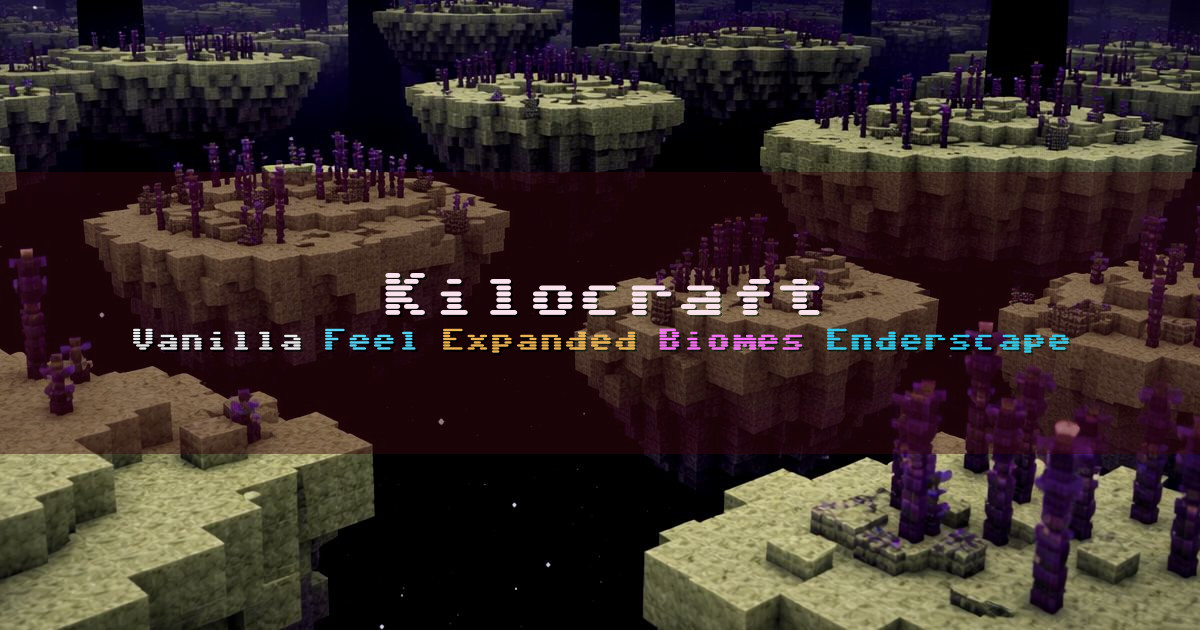
Kilocraft Vanilla Survival Reimagined
KiloCraft Season 12Wɪᴛʜ ᴘʟᴇɴᴛʏ ɴᴇᴡ ᴍᴏᴅs
Kilocraft is a server-modded survival experience you can join without installing any mods. We use server-side Fabric mods focused on balance and practical quality-of-life, while keeping a vanilla feel at the core.
We’ve shaped the server alongside our community over time, and we aim to keep things friendly and welcoming. We support survival essentials like claiming, playtime-based ranks, mob-head drops, player warps, homes, and TPA.
Exploration and progression are expanded with carefully chosen content that still fits Minecraft’s tone. The Overworld includes Traverse biomes, paired with more organic terrain generation from Cliff under a Tree, adding natural cliffs, overhangs, and dramatic formations without turning the world into modded chaos.
The Nether is expanded with Cinderscape, bringing volcanic biomes, glowing vegetation, eerie atmosphere, and new survival challenges. The End is reworked with Enderscape for a deeper late-game adventure, including multiple new biomes, reworked End Cities and Strongholds, additional mobs, new materials and gear, plus enhanced ambience and sky visuals.
Survival feels more alive with expanded mob variety and tougher encounters through Friends and Foes, Illager Expansion Recrafted, and Tom’s Mobs.
For builders and long-term players, we support deeper automation and base building with PolyFactory, and expanded storage with Extended Drawers. Day-to-day survival is upgraded with cooking and farming via Farmer’s Delight, plus improved fishing with Gone Fishing.
Kilocraft began during the 1.11 snapshot era, and we aim to stay close to the latest snapshots and releases for Minecraft Java Edition. We keep the world maintained, update our mods for each version, and expand the borders over time so there’s always more to explore.
Performance is a priority. We run on strong hardware and use Fabric performance mods to keep things smooth and stable.
We’ve shaped the server alongside our community over time, and we aim to keep things friendly and welcoming. We support survival essentials like claiming, playtime-based ranks, mob-head drops, player warps, homes, and TPA.
Exploration and progression are expanded with carefully chosen content that still fits Minecraft’s tone. The Overworld includes Traverse biomes, paired with more organic terrain generation from Cliff under a Tree, adding natural cliffs, overhangs, and dramatic formations without turning the world into modded chaos.
The Nether is expanded with Cinderscape, bringing volcanic biomes, glowing vegetation, eerie atmosphere, and new survival challenges. The End is reworked with Enderscape for a deeper late-game adventure, including multiple new biomes, reworked End Cities and Strongholds, additional mobs, new materials and gear, plus enhanced ambience and sky visuals.
Survival feels more alive with expanded mob variety and tougher encounters through Friends and Foes, Illager Expansion Recrafted, and Tom’s Mobs.
For builders and long-term players, we support deeper automation and base building with PolyFactory, and expanded storage with Extended Drawers. Day-to-day survival is upgraded with cooking and farming via Farmer’s Delight, plus improved fishing with Gone Fishing.
Kilocraft began during the 1.11 snapshot era, and we aim to stay close to the latest snapshots and releases for Minecraft Java Edition. We keep the world maintained, update our mods for each version, and expand the borders over time so there’s always more to explore.
Performance is a priority. We run on strong hardware and use Fabric performance mods to keep things smooth and stable.
How to join
Copy the server address below, open Minecraft, then add it in your server list.
- Open Minecraft.
- Go to the servers or multiplayer screen.
- Add a server or use an option like Direct Connection or Add External Server.
- Paste this server address into the address field: 50kilo.org
- Save or confirm, then join the server.
Servers Like Kilocraft Vanilla Survival Reimagined

FlamingoMC BoxSMP Survival with PvP
30/500 players
play.flamingomc.com
base buildingClaims
Mythica Survival
9/100 players
mythica.online
ClaimsFishing
HyperBlocks SMP Survival
7/200 players
hyperblockssmp.com
ClaimsHomes
Spexces All The Mods 10 Modded
6/320 players
play.spexce.net
AutomationClaims
Pure Vanilla Vanilla SMP with Separate Economy
3/250 players
ms.purevanilla.co
base buildingClaims

AvesClub Farming
3/999 players
avesclub.net
base buildingClaims